

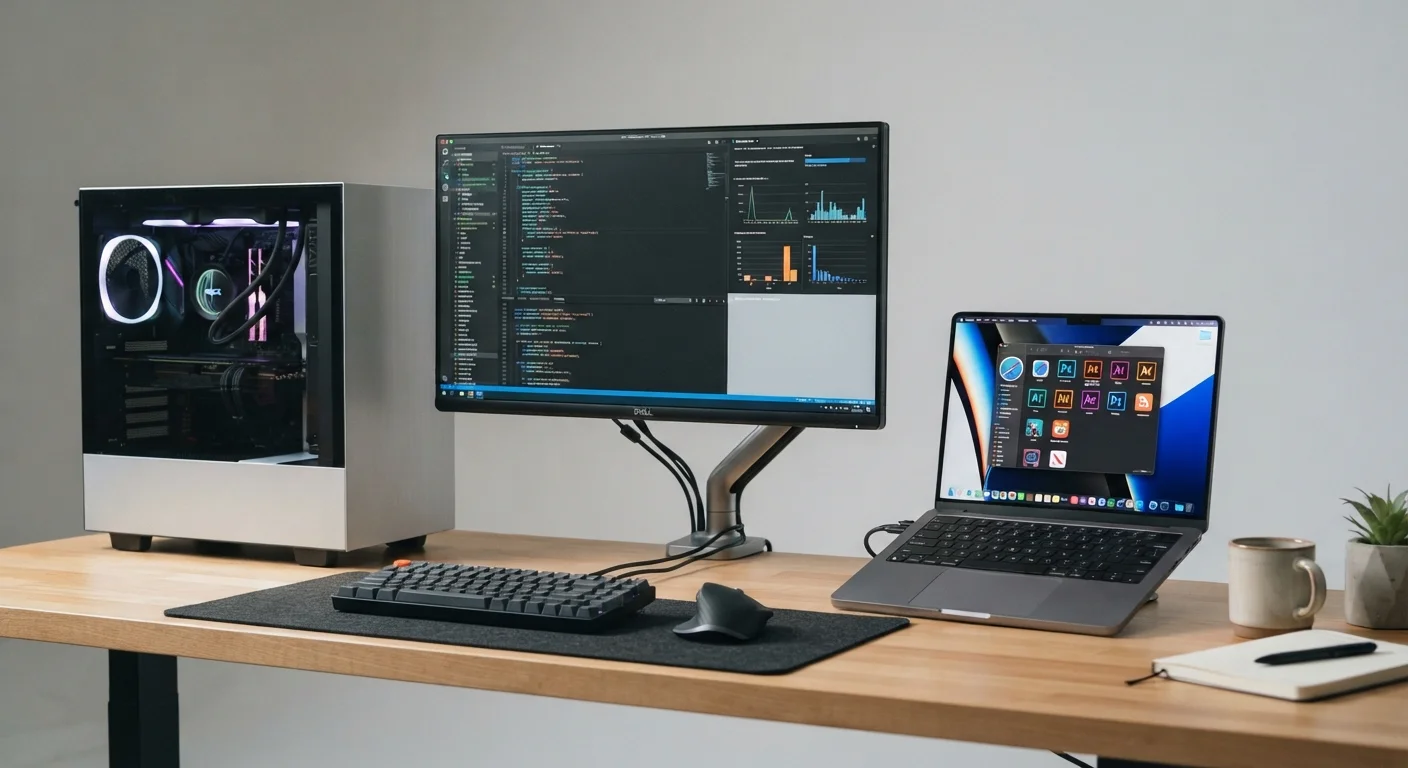
Option A
Desktop Computer
The high-performance, upgradable home base.
Best for: Users who work from a fixed location and want maximum power, screen real estate, and long-term value.
Option B
Laptop Computer
The flexible, go-anywhere all-in-one.
Best for: Users who move between locations, work remotely, or need a single device that handles both home and away tasks.
Performance: Where Desktops Hold a Structural Advantage
At any given price point, desktop computers typically outperform laptops in raw processing power and graphics capability. The reason is thermal design: desktops have room for larger cooling systems, so their processors can sustain higher clock speeds without throttling (slowing down to prevent overheating). Laptops use smaller, lower-power chips specifically engineered to generate less heat in a confined chassis.
This gap matters most for demanding tasks - video editing, 3D rendering, running complex datasets, or gaming. For everyday tasks like web browsing, email, word processing, or video calls, a modern laptop handles everything without breaking a sweat. Understanding what the specs actually mean for your workload is worth exploring - see what RAM, storage, and CPU specs mean for everyday use before comparing hardware numbers between form factors.
| Criterion | Desktop | Laptop |
|---|---|---|
| Performance per dollar | Generally higher | Lower due to compact engineering |
| Portability | Fixed location only | Fully portable |
| Upgradability | RAM, storage, GPU replaceable | Often limited or sealed |
| Battery concerns | None - wall powered | Degrades over years of use |
| Setup requirements | Monitor, keyboard, mouse needed | All-in-one out of the box |
| Theft/damage risk | Very low | Higher - mobile device |
| Cooling efficiency | Larger, more effective cooling | Compact, may throttle under load |
Upgradability and Longevity
One of the most significant practical differences between desktops and laptops is what happens two or three years from now. In most desktop configurations, RAM can be expanded, storage drives swapped out, and graphics cards replaced. This means a well-chosen desktop can be refreshed incrementally rather than replaced wholesale.
Laptops increasingly seal components in place. Many modern thin-and-light laptops have RAM soldered directly to the motherboard, and storage upgrades, while sometimes possible, aren't always straightforward. Opting for a laptop with more RAM and storage than you need today is often wiser than planning to upgrade later. For those committed to a desktop, which desktop upgrades tend to have the most impact is worth understanding before spending.
~4-5 years
Typical useful lifespan of a consumer laptop
Industry guidance generally places average laptop lifespans between four and five years before performance or battery issues prompt replacement.
6-8+ years
Potential lifespan of an upgradable desktop
Desktops that allow component-level upgrades can remain useful significantly longer, depending on the workload and upgrade investment.
Portability and the Real Cost of Convenience
A laptop's single defining advantage is that it goes where you go - and for many people, that advantage overrides every other consideration. Remote work, commuting, studying at a library, or simply moving between rooms at home: the convenience is genuine and daily.
That portability comes with trade-offs beyond performance. Laptops are more vulnerable to physical damage, theft, and the slow degradation of their built-in battery. Battery capacity typically diminishes over charge cycles, meaning a laptop that lasts eight hours when new may last considerably less after two to three years of daily use. certain everyday habits accelerate this degradation faster than most users realize.
Desktops, by contrast, are essentially immune to these concerns. They don't have batteries to degrade, are rarely moved, and aren't at meaningful theft risk in a home or office. The peripherals they require - monitor, keyboard, mouse - add setup cost and desk space, but those are one-time investments. For peripheral options worth understanding, see computer accessories and what they do.
Cost Considerations and What the Numbers Actually Reflect
Desktops tend to offer more hardware for the same dollar amount compared to laptops. You're not paying for a compact engineering challenge - the components are larger, standardized, and easier to manufacture competitively. A mid-range desktop often includes more storage, faster memory, and a more capable processor than a laptop at the same price.
However, desktops require additional purchases: a monitor is the most significant, followed by a keyboard and mouse. Those costs can narrow or erase the raw price advantage depending on what you need. Laptop buyers get everything integrated in one device, which also simplifies setup considerably.
When a Laptop Plus a Monitor Makes Sense
Some users get the best of both worlds by pairing a laptop with an external monitor, keyboard, and mouse at their main workspace. This setup delivers a desktop-like experience at home while preserving portability when needed. A docking station can simplify the connection between a laptop and multiple peripherals. See what to look for when choosing a monitor if you're evaluating this approach.
If the upfront cost of either is a concern, refurbished hardware is an option worth understanding. What 'refurbished' actually means varies considerably across product categories, and computers are no exception - knowing what to look for matters before committing.
The content on this site is for informational purposes only and is not a substitute for professional advice. Always consult a qualified professional for guidance specific to your situation.