

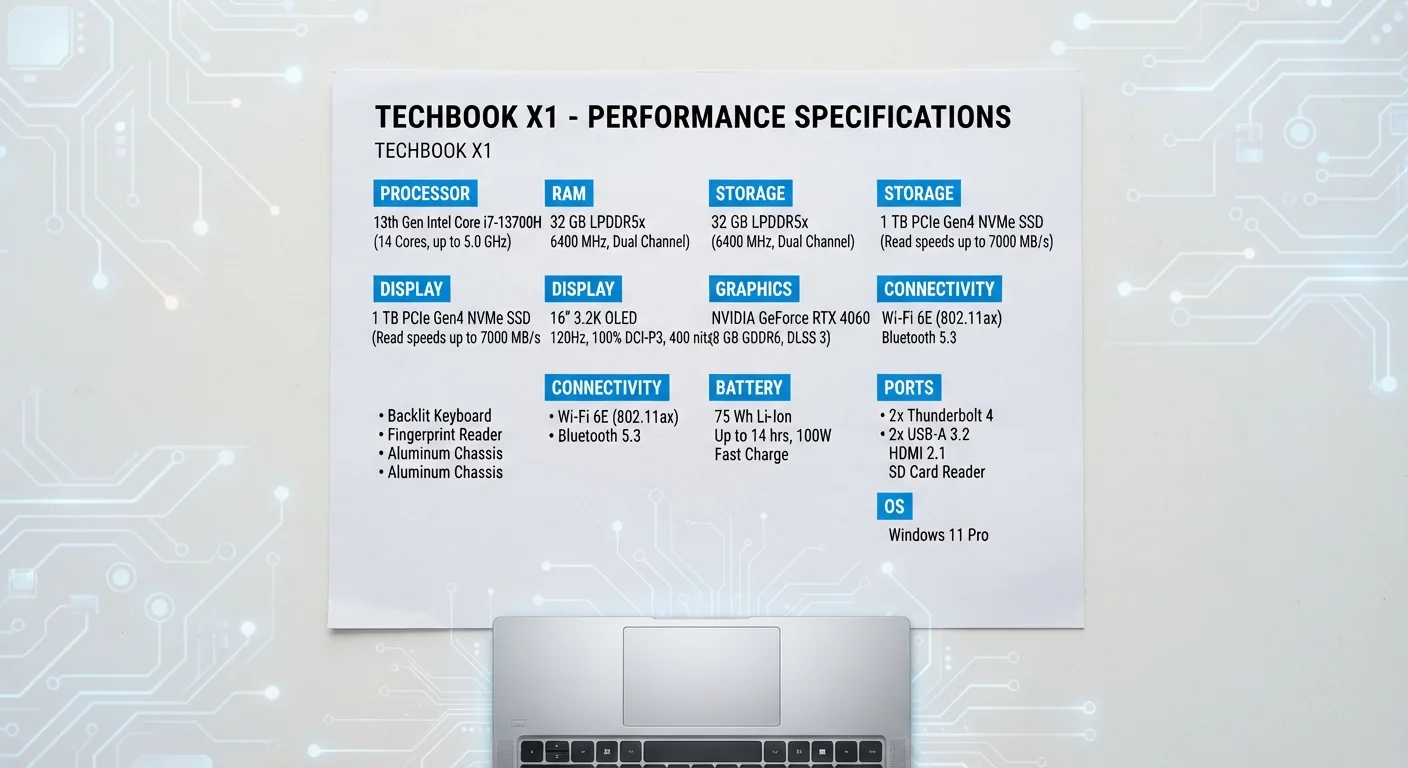
RAM: Your Computer's Short-Term Working Memory
RAM - short for Random Access Memory - is the workspace your computer uses while it's actively doing things. Think of it like a physical desk: the larger the desk, the more documents you can spread out and work on simultaneously without constantly pulling things in and out of a filing cabinet.
When you open a browser, a spreadsheet, and a video call at the same time, all three are loaded into RAM. When RAM fills up, the computer starts borrowing space from storage to compensate - a process called paging - which causes noticeable slowdowns. This is the reason computers with more RAM feel smoother when multitasking.
RAM is measured in gigabytes (GB). For context: 8GB handles everyday tasks, 16GB suits multitaskers and light creative users, and 32GB or more is typically for professional workloads. Importantly, RAM is temporary - everything stored there disappears when you power off. That distinction separates it completely from storage.
16GB
RAM now common in mid-range laptops
Industry analysts tracking PC shipments note that 16GB has become the standard RAM configuration in the mainstream laptop segment, reflecting growing demands from multitasking and modern operating systems.
~5×
Speed advantage of NVMe SSD over HDD
Sequential read speeds for NVMe solid-state drives typically range from 3,000 to 7,000 MB/s, compared to roughly 100-200 MB/s for traditional spinning hard drives, representing a dramatic real-world difference in load times.
4-8
CPU cores in most consumer laptops
Most laptops sold for general consumer use ship with processors featuring between 4 and 8 cores, which comfortably handles everyday multitasking, streaming, and productivity software for most users.
Storage: Where Everything Lives Long-Term
Storage is where your operating system, applications, photos, documents, and every file you've ever saved permanently reside. Unlike RAM, storage retains data when the computer is off. Two main technologies dominate: SSD (solid-state drive) and HDD (hard disk drive).
SSDs use flash memory with no moving parts, making them dramatically faster, more durable, and quieter than HDDs. The practical effect is significant - a computer with an SSD boots in seconds and opens applications nearly instantly, while the same machine with an HDD feels sluggish by comparison. For a deeper look at how these two technologies differ in daily use, see how SSDs and HDDs affect how a computer feels.
Storage capacity is measured in gigabytes (GB) and terabytes (TB). The key insight is that the type of storage often matters more than the raw amount. A 256GB SSD will feel faster in everyday use than a 1TB HDD, even though it holds far less data.
Prioritize SSD Over Raw Capacity
When comparing two computers with similar budgets, a smaller SSD almost always delivers a better everyday experience than a larger HDD. You can supplement storage affordably with an external drive or cloud service, but you can't easily compensate for a slow mechanical drive in daily use.
Processing Power: The Brain Behind Everything
The CPU, or processor, is the component that actually executes instructions - every calculation, every app launch, every web page render passes through it. Two numbers dominate processor marketing: clock speed (measured in GHz) and core count.
Clock speed describes how many instruction cycles the processor completes per second. A 3.5GHz processor runs 3.5 billion cycles per second. However, newer processor architectures accomplish more work per cycle, meaning a current-generation chip at 3GHz can outperform an older one at 4GHz. Generation matters as much as frequency.
Core count describes how many independent processing units the chip contains. More cores allow more parallel work. For everyday computing - web browsing, email, light document work - 4 cores is more than adequate. Video editors, developers, and data analysts working with demanding software benefit from 8 or more cores.
Spec sheets for laptops and desktops use these numbers heavily in marketing, but they only tell part of the story. For a fuller picture of what spec sheets leave out, see what spec sheets don't tell you about buying a laptop.
“The single biggest performance upgrade most people can make to a slow computer isn't adding RAM or swapping the processor - it's replacing a spinning hard drive with a solid-state drive. The impact is immediate and dramatic.”
— Consumer Technology Analyst, Hardware performance researcher and technology educator
How These Three Specs Work Together
RAM, storage, and the CPU are interdependent - a weakness in any one can limit overall performance regardless of how strong the others are. A fast processor paired with insufficient RAM will stall while waiting for data. A large storage drive paired with a slow processor won't feel responsive. Understanding this interplay is what separates a well-matched system from a lopsided one.
For most general consumers, the sweet spot is a balanced configuration rather than maximizing any single spec. This same principle applies whether you're evaluating a laptop or a desktop - each form factor has different upgrade paths and constraints, which is worth understanding separately. See our comparison of desktops and laptops for how these specs factor into each platform's trade-offs.
Smartphone hardware follows a similar but distinct logic - chipsets, RAM, and storage interact differently in mobile operating systems. If you're also evaluating a phone purchase, understanding smartphone specs covers that territory in depth.
Frequently Asked Questions
For typical tasks like web browsing, email, and word processing, 8GB of RAM is generally sufficient. If you regularly run many browser tabs, video calls, or light creative software simultaneously, 16GB provides more comfortable headroom. Intensive workloads like video editing or 3D rendering may warrant more.
RAM is short-term, high-speed memory your computer uses for tasks it's actively working on - it clears when you shut down. Storage (SSD or HDD) is long-term space where your files, apps, and operating system live permanently. Both are measured in gigabytes, which is a common source of confusion.
Not always. Clock speed (GHz) measures how many cycles a processor completes per second, but processor architecture generation, core count, and thermal management all influence real-world speed. A newer processor at a lower GHz can outperform an older one at a higher clock speed.
Cores are independent processing units within a single CPU chip. More cores allow the processor to handle multiple tasks in parallel. Everyday tasks rarely use many cores at once, but demanding workloads like video rendering, music production, and data analysis benefit noticeably from higher core counts.
It depends on your habits. If you primarily stream media, use cloud storage, and keep few large local files, 256GB can be adequate. Users who store large photo libraries, video projects, or many applications locally will likely need 512GB or more to avoid constantly managing free space.
It depends on your primary use case. RAM matters most when multitasking or running memory-hungry apps. Processor speed matters most for computationally intensive single tasks like compiling code or rendering video. For general use, both should meet a reasonable baseline rather than maximizing one at the expense of the other.
The content on this site is for informational purposes only and is not a substitute for professional advice. Always consult a qualified professional for guidance specific to your situation.