

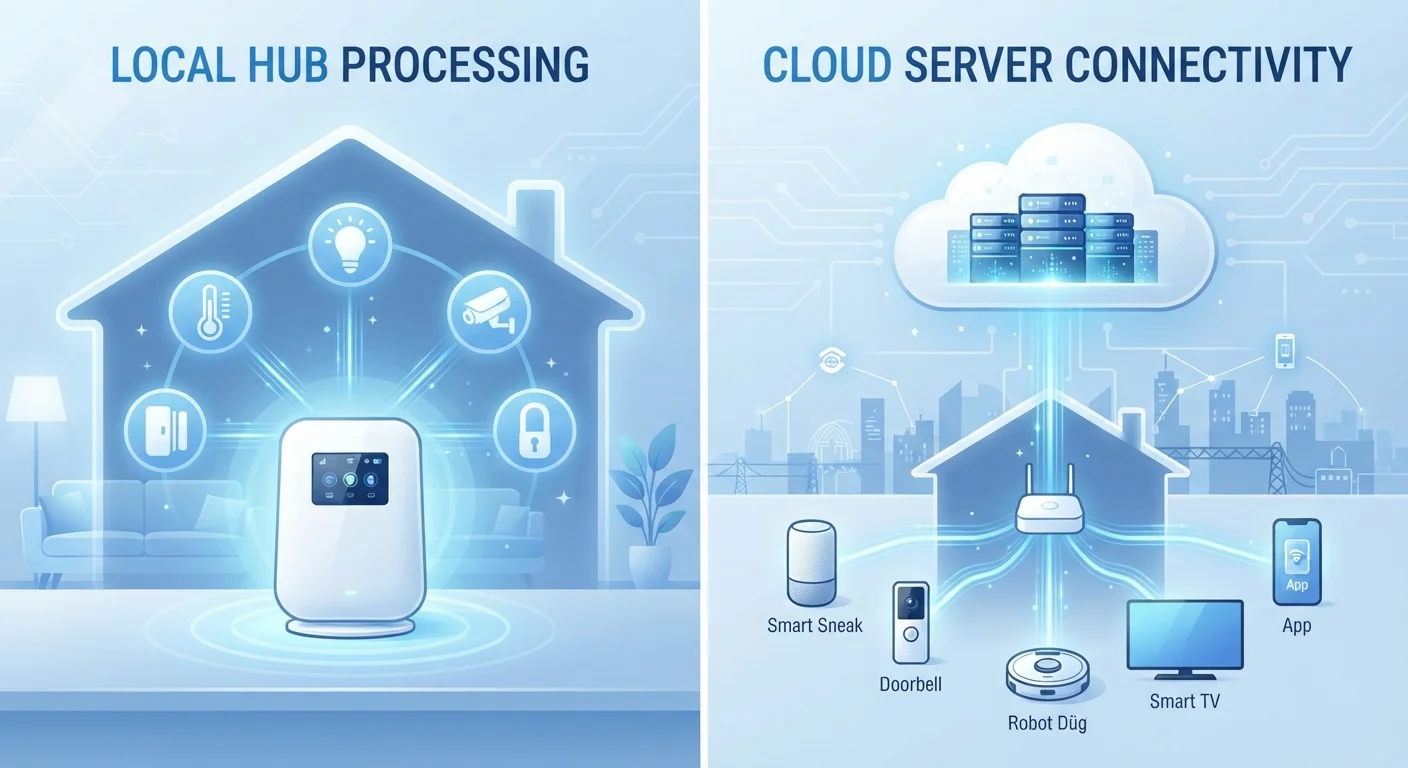
Option A
Local Processing Smart Devices
The self-contained, internet-independent approach.
Best for: Households that prioritize reliability, privacy, and functionality during internet outages.
Option B
Cloud-Dependent Smart Devices
The feature-rich, always-connected alternative.
Best for: Users who want advanced remote access, voice integration, and seamless multi-device coordination.
What "Local" and "Cloud-Dependent" Actually Mean
When a smart device processes commands locally, it means the decision-making happens on hardware inside your home - typically on the device itself or on a local hub. Your smart lock recognizes a code, your motion sensor triggers a light: no round-trip to a distant server required.
A cloud-dependent device takes a different path. When you tap a button in an app or say a voice command, the instruction travels over the internet to a manufacturer's server, gets processed there, and a command is sent back to your device. The round-trip usually takes milliseconds - but it only works if both your internet connection and the manufacturer's service are up.
This distinction rarely appears on the product box. Understanding it before you buy is especially important for devices where reliability is non-negotiable, such as smart locks, smoke detectors, or security cameras. See our room-by-room guide to smart home security devices for a deeper look at how each device category handles this.
| Criterion | Local Processing | Cloud-Dependent |
|---|---|---|
| Works without internet | Yes | No (or severely limited) |
| Remote access from anywhere | Requires extra configuration | Built-in |
| Data privacy exposure | Low - data stays local | Higher - data sent to servers |
| Response latency | Very fast (milliseconds) | Slightly higher (round-trip) |
| Risk if service shuts down | Low - functions independently | High - may stop working entirely |
| Ecosystem compatibility | Narrower, hub-dependent | Broader API integrations |
| Advanced AI features | Limited | Widely available |
| Setup complexity | Often requires a local hub | Typically plug-and-play |
Reliability, Privacy, and the Risk of "Bricking"
The most immediate practical difference is reliability during outages. A local-processing smart thermostat will still follow its schedule when your ISP has a hiccup. A cloud-dependent thermostat may revert to a default state or become entirely unresponsive. If you've ever wondered why your smart lights keep disconnecting, cloud dependency is often a contributing factor alongside Wi-Fi signal issues.
Privacy is the second major dimension. Cloud-dependent devices continuously transmit usage data - when you're home, when you're not, which rooms you use most - to external servers. Local devices, by contrast, keep that behavioral data within your four walls. This doesn't make local devices immune to all security risks, but the attack surface is meaningfully smaller.
There's also a longer-term concern: service discontinuation. When a manufacturer shuts down its cloud platform - something that has happened repeatedly across the smart home industry - cloud-dependent hardware can become non-functional overnight. Local-processing devices don't share this vulnerability; they don't need the manufacturer to remain in business to keep working.
Not Always Either/Or
Many modern smart home platforms operate in a hybrid mode: they process routine commands locally for speed and reliability, while syncing data to the cloud for remote access and advanced features. Z-Wave and Zigbee hubs, for example, often support local automation while still offering optional cloud connectivity. When evaluating a device, it's worth checking whether local and cloud modes can coexist - and which functions fall into each category.
For a realistic picture of the ongoing costs that cloud subscriptions and upgrade cycles add to a smart home, the hidden costs of a smart home article is worth a read before you commit to a cloud-heavy setup.
Where Cloud Dependency Earns Its Place
Cloud infrastructure isn't purely a liability. It enables capabilities that local hardware alone genuinely struggles to replicate. Remote access - controlling your thermostat from across the country - requires a cloud relay unless you configure a more complex self-hosted solution. Voice assistant integration, complex cross-device automations, and AI-driven features like package detection in security cameras all lean heavily on cloud computing power.
Cloud platforms also tend to have broader ecosystem compatibility. Emerging standards like Matter are working to change this, but for now, cloud-connected devices generally integrate more easily with third-party services and voice platforms. If building a tightly coordinated smart home matters to you, understanding how smart home ecosystems connect devices helps clarify which architectures best support that goal.
25%+
US households with at least one smart home device
Pew Research Center data indicates roughly one in four US adults reported owning a smart home device, a figure that has grown steadily as prices have declined.
100+
Smart home services discontinued since 2016
The "IoT Graveyard" - a community-tracked list of discontinued smart home products and services - has catalogued over 100 platforms shut down since 2016, leaving cloud-dependent hardware non-functional.
The practical takeaway: cloud dependency is a reasonable trade-off when the features it unlocks are features you'll genuinely use. It becomes a poor trade when you're paying - in privacy, reliability, and longevity risk - for capabilities you never actually need.
How to Evaluate Any Device Before You Buy
A few questions cut through marketing language quickly. First, does the device work without internet? Check the manufacturer's support documentation, not just the product page. Test this in reviews or forums where owners describe outage behavior. Second, is there a local API or hub option? Some devices that default to the cloud can be configured for local control through third-party hubs or open-source platforms - a meaningful option for privacy-conscious users.
Third, ask whether the core functions require a paid subscription. A device that works locally today may shift key features behind a paywall in a future firmware update. Where smart home devices deliver real value explores which categories tend to hold up over time and which introduce friction.
Finally, consider your household's actual internet reliability. In areas with frequent outages, local-processing devices for critical functions - locks, thermostats, alarms - provide a safety net that cloud-dependent alternatives simply can't guarantee. Balancing both approaches across your home is often the most resilient strategy. For broader network and security hygiene that supports either setup, practical smart home security habits offers a strong starting framework.
The content on this site is for informational purposes only and is not a substitute for professional advice. Always consult a qualified professional for guidance specific to your situation.