

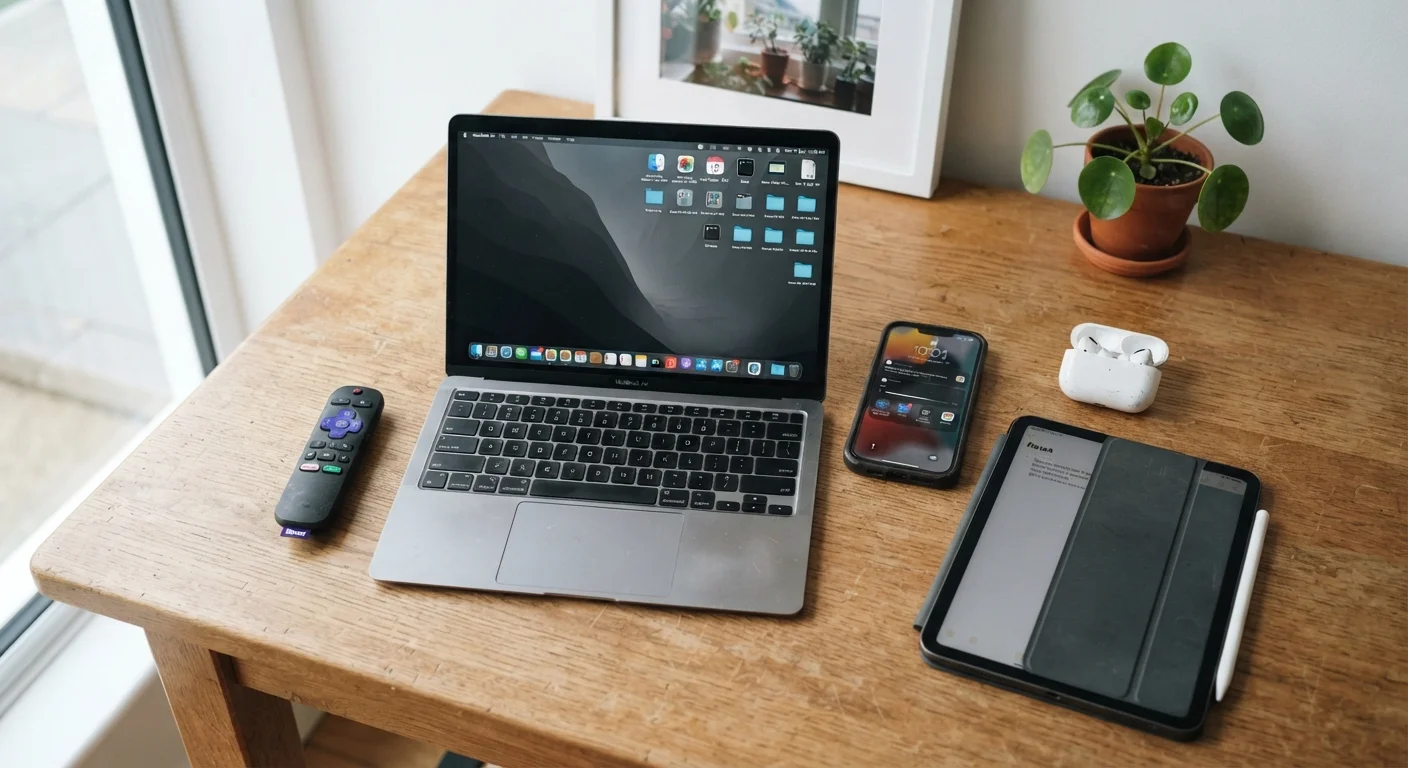
The Real Cost of Upgrading Too Early
Manufacturers benefit when you replace devices on a tight cycle. Annual hardware refreshes, aggressive trade-in marketing, and the quiet end of software support all nudge consumers toward upgrades before the hardware itself has given up. But for most households, the calculus looks different: replacement costs are real, and the performance gap between generations is often smaller than advertised.
The devices below hold up longer than conventional upgrade pressure suggests - and knowing why helps you make the call on your own terms rather than someone else's schedule. For a broader look at connected devices in the home, see the Home Tech & Smart Devices hub.
Smartphones
The average smartphone is replaced every two to three years in the US, but the hardware in a mid-range or flagship device from three or four years ago typically remains capable of handling calls, messaging, streaming, and most apps without friction. The actual limiting factor is software support: once a device stops receiving security updates, continued use carries genuine risk.
Before that point, a battery replacement - a straightforward repair at most service centers - often restores most of the sluggishness users associate with an aging phone. Degraded battery health is the most common reason a phone feels slow, and fixing it costs a fraction of a new device. Check your device's battery health setting before assuming the hardware is past its prime. For more context on the mobile category, the Smartphones & Tablets hub is a useful reference.
Battery replacement fixes most sluggishness for a fraction of upgrade cost.
Laptops
Consumer laptops are often replaced at the four-to-five-year mark, but the underlying hardware - particularly in machines used for everyday tasks like web browsing, document editing, and video calls - rarely degrades in a way that justifies replacement. What changes is software overhead: operating systems and applications grow more demanding over time, making older hardware feel slower even when nothing has physically worn out.
Adding RAM or switching to a solid-state drive (SSD), if the machine supports it, can meaningfully extend usable life. Cleaning cooling vents to prevent thermal throttling is another low-cost intervention that restores performance. The key question is whether the machine still receives operating system security updates - that's the harder deadline to negotiate around.
Cleaning vents and upgrading storage can add years to a laptop's working life.
Televisions
Televisions are among the most over-replaced electronics in the home. Panel technology - particularly LCD and OLED - has matured enough that a well-maintained TV from five or more years ago delivers picture quality most viewers find entirely acceptable for daily use. The common trigger for replacement is a new feature set: HDR formats, higher refresh rates, or smart platform updates.
Most streaming content can be accessed through an external streaming device plugged into an older TV via HDMI, sidestepping the issue of an outdated built-in smart platform entirely. The panel itself rarely fails within the first decade of normal use. Smart home device trade-offs apply here too - adding a streaming stick is often a more targeted fix than a full TV replacement.
An external streaming device can modernize an older TV without replacing the panel.
Wireless Earbuds and Headphones
Wireless audio devices have short perceived lifespans largely because of battery degradation in sealed charging cases. The earbuds themselves - drivers, microphones, connectivity chips - typically remain functional long after the battery capacity has dropped. For over-ear headphones with replaceable ear cushions and detachable cables, the physical lifespan can extend a decade or more with basic maintenance.
For truly wireless earbuds with non-replaceable batteries, the honest ceiling is closer to three to four years of heavy daily use before battery life becomes a daily frustration. But occasional or secondary use pushes that window out considerably. Evaluate how much you actually use them before defaulting to replacement.
Over-ear headphones with replaceable parts can last a decade with basic upkeep.
Tablets
Tablets occupy an unusual position: they're powerful enough that most users never tax the hardware, and their software update cycles from major manufacturers now stretch to five or more years. A tablet used primarily for reading, video playback, or video calls has minimal performance demands, meaning the gap between a current model and one three to four years old is functionally invisible in everyday use.
The replacement case is weakest here. Unless a tablet has sustained physical damage or is actively excluded from security updates, the hardware case for replacement is usually thin. The same logic that applies to scheduled maintenance in other categories applies here - proactive care, like keeping storage from filling completely, prevents the performance drop that often prompts unnecessary upgrades.
Tablets used for basic tasks rarely need hardware replacement within five years.
When Replacement Actually Makes Sense
None of this means holding onto broken or genuinely obsolete hardware. Security patches matter - a device no longer receiving operating system updates is a real vulnerability, not just a marketing talking point. The honest test is whether a device still performs its core job safely and reliably, not whether a newer version exists.
Check Software Support Before Deciding
Before replacing any device, look up its official end-of-support date from the manufacturer. If security updates are still active, the device likely has usable life remaining. Many manufacturers publish support timelines publicly, and this single data point is more reliable than general upgrade-cycle assumptions.
If you're weighing a partial upgrade rather than a full replacement, the desktop upgrade guide breaks down which components tend to move the needle. And if a refurbished replacement does make sense, understanding what refurbished actually means across categories is worth doing before you commit.
The content on this site is for informational purposes only and is not a substitute for professional advice. Always consult a qualified professional for guidance specific to your situation.